
Virtual and hybrid event delivery
Virtual Event Platform
Run live and recorded sessions, registration, networking and follow-up in one virtual event programme.
Virtual and hybrid event delivery
Bring the complete virtual event experience into one programme
Manage ticketing, research submissions, speakers, live meetings, recorded presentations, programme access and participant engagement from one connected event platform for Saudi Arabia.

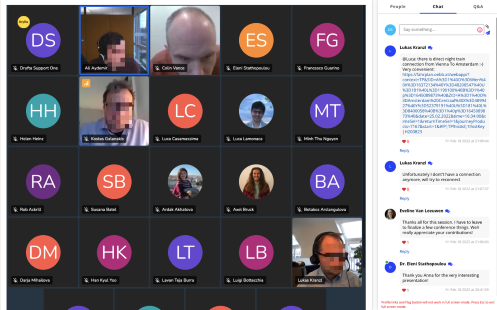
Run interactive virtual meetings at conference scale
Give speakers and participants a browser-based meeting space connected to the event programme and registration record.
- Host up to 500 interactive participants with audio, video and screen sharing in a configured meeting.
- Use a service plan with a published 99.99% uptime commitment.
- Record a live meeting and make the approved recording available on demand or as paid content.
- Control capacity, waiting lists and entry permissions for each meeting.
- Attach a post-session survey to collect timely participant feedback.
- Connect registration fees and payment gateways to virtual-event access.
- Run up to 50 concurrent meetings and add polls, group chat and moderated questions.
Manage abstracts, talks and review decisions
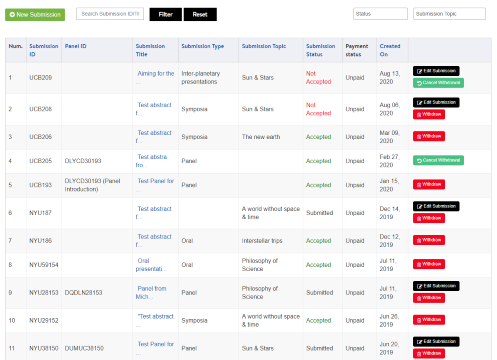
Keep scientific content and virtual delivery in the same workflow, from the call for abstracts to the scheduled presentation.
- Let speakers submit abstracts, posters, talks, slides and pre-recorded video from a self-service dashboard.
- Create configurable submission, review and registration forms.
- Record accept or reject decisions and send the relevant notification automatically.
- Move accepted content into the event schedule without rebuilding the record.
- Export submissions and decisions to CSV or PDF.
- Filter submissions using standard and custom fields.
- Prepare proceedings in PDF or Microsoft Word format.
Combine livestreams with pre-recorded presentations
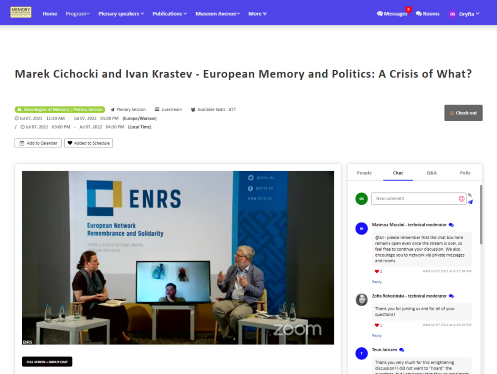
Publish one interactive programme for live, pre-recorded and on-demand sessions so attendees always know where to go next.
- Offer a searchable, filterable schedule with clear session access.
- Display speaker biographies and their assigned sessions.
- Set session date, time and capacity.
- Connect configured Vimeo Enterprise livestreams to programme sessions.
- Create an on-demand library for approved recordings.
- Sell access to selected session recordings where required.
Build a conflict-aware virtual programme
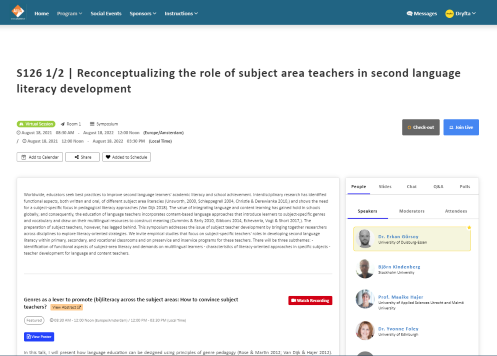
Coordinate speakers, rooms, tracks and access while giving attendees a personal agenda and useful session information.
- Publish searchable session information, attendance actions, feedback and personal schedules.
- Detect programme conflicts before publication.
- Sell access to recorded talks or selected livestreams.
- Create breakout sessions with group chat or video.
- Allow browser and device access through an organiser-controlled waiting room.
- Support presenter screen sharing.
- Use live chat, moderated Q&A and polls in the session.
Sell virtual tickets and on-demand access
Use registration and ticket rules to decide who can enter a meeting, livestream or recorded-content library.
- Create tickets for webinars, meetings and on-demand video.
- Use Moyasar or Tap for approved Saudi online-payment journeys; other global gateways remain available by deployment.
- Limit viewing and entry to eligible purchasers.
- Sell access to selected livestreams.
- Set ticket and session capacity independently.
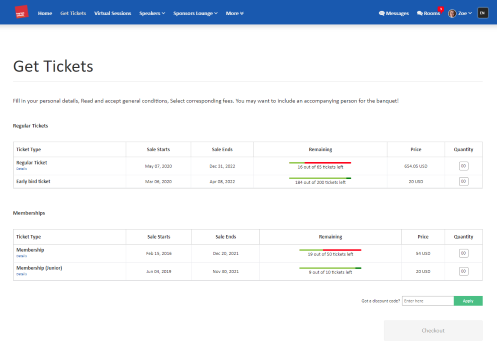
Invite active participation during every session
Place questions, polls, conversation and supporting files beside the session instead of scattering engagement across unrelated tools.
- Accept written or audio questions during and after the session.
- Let speakers create polls and view results in real time.
- Enable chat, file and photo sharing, and comment upvotes.
- Make approved presentation slides downloadable on the web and app.
- Assign moderators to keep the conversation focused.
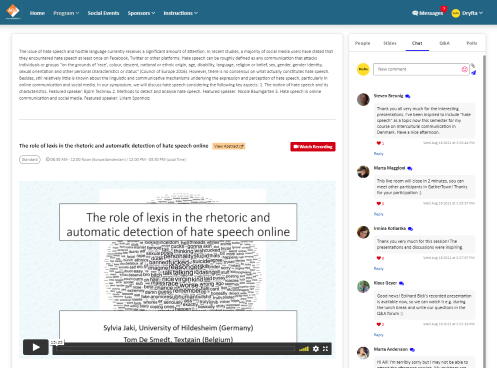
Help attendees meet and continue the conversation
Turn the participant directory into a practical networking environment before, during and after the virtual event.
- Exchange connection requests and vCards through participant profiles.
- Use AI-assisted matchmaking to surface relevant people.
- Publish availability and exchange meeting requests.
- Join one-to-one video meetings.
- Use instant messages during and after the event.
- Create group video rooms for up to 35 participants.
- Open community and topic rooms with comments, files and upvotes.
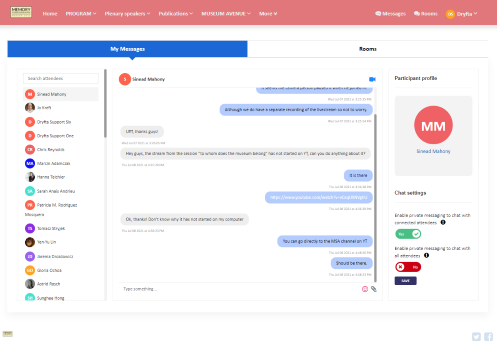
Give sponsors an interactive virtual presence
Create structured sponsor spaces that help participants discover partners, resources and representatives.
- Build a sponsor lounge with products, contacts, video, files and social links.
- Enable direct chat and video meetings between sponsors and attendees.
- Offer downloadable partner resources.
- Use vCard collection to support permission-based lead capture.
- Connect sponsored sessions with attendance and audience questions.
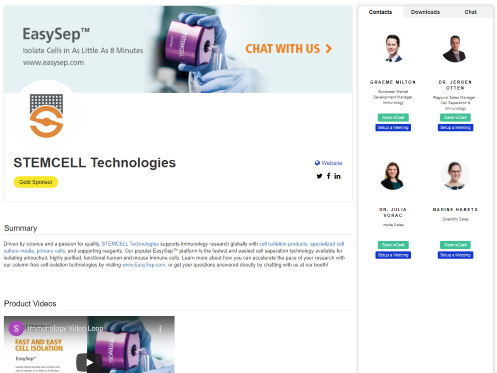
Send timely, targeted event communication
Use registration, programme and participant data to keep the right people informed as the virtual event changes.
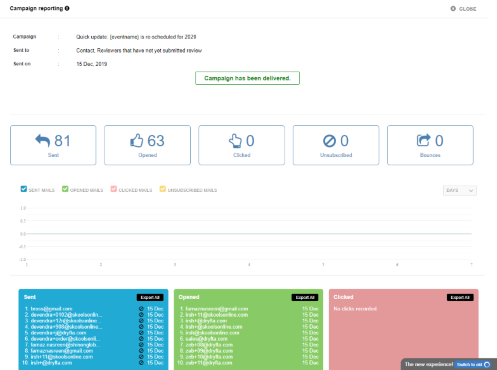
- Send segmented campaigns and review open and click reporting.
- Schedule automated reminders.
- Notify affected attendees when a session changes.
- Send instant text updates where configured.
- Send speakers their session information by text.
Create and distribute participation certificates
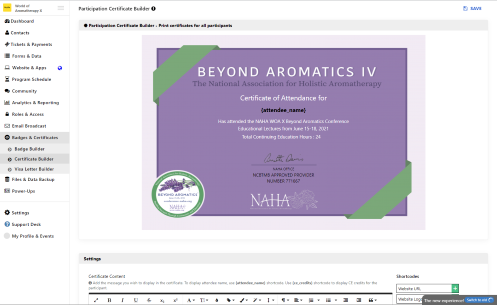
Recognise speakers and attendees with certificates built from the participant and attendance records already in Dryfta.
- Create separate certificate designs for speakers and attendees.
- Add the event logo, approved wording, issuing authority and signature.
- Generate certificates by participant role in bulk.
- Send personalised certificates through an email campaign.
- Allow participants to download an eligible certificate from their dashboard.
Prepare your team with implementation and event-day support
Combine local Saudi customer support with Dryfta’s wider support desk and agreed implementation services.
- Use the support desk around the clock for platform questions.
- Arrange event-day technical monitoring and support.
- Schedule administrator training according to the selected plan and implementation scope.
- Add premium chat or phone support when required.
- Discuss setup, video production, recording, livestream and speaker-coordination services during planning.

Customer success story
AILA 2021: a large international virtual congress
The published AILA 2021 case study records 2,400 participants, more than 1,700 abstracts, 1,400 pre-recorded videos, over 270 virtual sessions and more than 25,000 messages and chats managed through Dryfta.
Read the case studies
A real customer experience
The conference team reported a dependable five-day online experience for nearly 1,500 participants across 230 panels, roundtables and special sessions, supported by a responsive Dryfta team.
Memory Studies Association Fifth Conference · 5–9 July 2021
This summary is based on the customer account published on Dryfta’s global virtual-event page.
Related guides and articles
Continue planning with practical resources




Frequently asked questions
Practical answers before you begin
What is a virtual event platform?
It is the online environment used to register participants, publish a programme, deliver live or recorded sessions, support interaction and retain approved content after the event.
What should an organiser look for in a virtual event platform?
Look for connected registration, programme, speaker, access, engagement, reporting and support workflows that match the scale and governance needs of the event.
How do we create a virtual event with Dryfta?
Configure participant roles and registration, build the programme, add speakers and session access, test the attendee journey, then publish and monitor delivery.
Can virtual meetings be interactive?
Yes. Sessions can use live questions, polling, chat, file sharing, screen sharing, feedback and moderated discussion according to the configured meeting service.
Can Dryfta support hybrid as well as fully virtual events?
Yes. Organisers can combine venue sessions, livestreams, interactive meetings, pre-recorded presentations and on-demand content within one programme.
Where are Saudi customer event platforms hosted?
Saudi customer event platforms are hosted in an AWS data centre in Bahrain, with local support for Saudi customers.
Full feature list
What you can do with this product
Explore the complete feature list for this product and see how each tool supports your team’s work.
Event registration
Build flexible registration pathways for attendees, authors, reviewers, speakers and invited guests.
- Multiple configurable forms for different user types and registration pathways
- Attendee, reviewer, review and abstract-submission forms
- Embeddable forms and language-localised registration experiences
- Instructional text, privacy notices, consent questions and reCAPTCHA
- Automatic merging of registration data into the event CRM
- Optional public attendee profiles
- Open, invitation-only and wait-list registration
- Pre-filled forms for known contacts and logged-in users
- Automated registration notifications and organiser updates
- Field-level visibility and add, edit and delete permissions
- Required-field validation and configurable file uploads including audio and video
- Ticket-specific fields, role-based ticket access and attendee autofill
Abstract and submission management
Manage calls for papers, complex submissions and the full author workflow.
- Multiple submission types, workflows, forms and independent deadlines
- Abstract, session, panel, roundtable, proposal and grant intake
- Author self-service dashboard with autosave and submit-later controls
- Co-authors, multiple presenters, author ordering and custom fields
- Configurable instructions, limits and eligibility by user type
- PDF, document, presentation, image, audio, video and archive uploads
- Revision and resubmission workflows, including post-deadline reviewer requests
- Author-reviewer rebuttal communication moderated by administrators
- Submission fees, acceptance payments and payment-gated submission
- Acceptance-letter builder with personalised PDF delivery
- Automated author, reviewer, speaker and administrator notifications
- Filtering, sorting, importing and exporting submissions and reviews
- Public abstract archive, voting and presentation downloads with access controls
- Automatic conversion of accepted submissions into programme sessions
- Custom abstract-book and proceedings publishing
Programme scheduling and speaker management
Build multi-track programmes, manage conflicts and deliver personalised schedules.
- Interactive programme builder for in-person, virtual and hybrid sessions
- Tracks, formats, rooms, venues, time slots and colour coding
- Conflict detection for sessions, speakers, rooms and programme resources
- Automatic conversion of accepted submissions into sessions
- Spreadsheet import for sessions, sub-sessions, speakers and presenters
- Speaker dashboards, notes, presentation uploads and deadline tasks
- Personal schedules, recommendations, favourites and printable agendas
- Calendar export to iCal, Google Calendar and Outlook
- Session capacity, waiting lists, invitation-only access and ticket eligibility
- QR and list-based session check-in and checkout
- Continuing Education credit assignment and attendance verification
- Presentation downloads with user-role access controls
- Session discussions, moderated questions, surveys and feedback
- Programme embedding, custom reports and attendance exports
Ticketing and online payments
Sell registrations, workshops, memberships, sponsorships and add-ons using organiser-controlled payment workflows.
- Paid and free ticket types with custom registration questions
- Workshop tickets with eligibility-aware onsite check-in
- Event memberships, premium-content access and validity periods
- One-time and recurring donations
- Sponsorship packages and additional purchasable items
- Online and offline payment methods controlled by the organiser
- Automatic invoices, confirmations and order-management controls
- Cart-abandonment notifications for registrants and administrators
- Discount codes by ticket, user, group, country, conditions and expiry date
- Automatic or manually entered conditional discounts
- Supported global gateways include Stripe, Dryfta Payments, Authorize.net, 2Checkout, Square, CyberSource, Moneris, iPay and PayTM
- Saudi payment support planned through Moyasar and Tap
Attendee engagement and networking
Help participants discover people, exchange details, schedule meetings and contribute to event conversations.
- Real-time attendee and session presence updates
- Manual, QR and self-service event and session check-in
- Event and session discussions, comments and participant ranking
- Self-service attendee dashboard for profiles, tickets and schedules
- Interest-based attendee recommendations and matchmaking
- One-to-one meeting scheduling and calendar invitations
- Contact-detail and vCard requests
- Sponsor and exhibitor lead retrieval using QR scanning
- Configurable public-profile layouts and privacy controls
- Reviewer registration protection and attendee account deletion controls
Badges and certificates
Design, generate and distribute accurate badges, QR codes, letters and participation certificates.
- Bulk PDF badge generation and individual onsite printing
- Custom badge designs and reusable templates
- Automatic QR codes containing selected attendee data
- Automatic font sizing for long names and special characters
- Badge sponsor branding
- Self-service badge-printing and scanning kiosks
- Participation-certificate builder for attendees, speakers and other roles
- Acceptance-letter generation and personalised PDF delivery
See how this would work for your event
Book a practical demo with the local Dryfta KSA team.
Dryfta products
Choose the tools your event needs
Each product works with the same people, programme, payment and engagement records.
Event Registration and Ticketing Software
Create registration forms, sell tickets, send confirmations and see who has paid—all from one place.
View productAbstract Submission and Peer Review Software
Collect abstracts, assign reviewers, record decisions and keep authors updated without juggling spreadsheets.
View productProgramme Scheduling and Speaker Management
Build your agenda, assign rooms and speakers, spot clashes and publish schedule changes quickly.
View product