
Data collection and audience communication
Bulk Email Broadcast and Segmentation
Build forms and emails, send campaigns, follow responses and keep communication tied to each participant.
Email campaigns and segmentation
Communicate from live event data, not copied mailing lists
Create branded campaigns, invitations and operational messages, then target the people who need each update using CRM attributes, form answers and event activity.
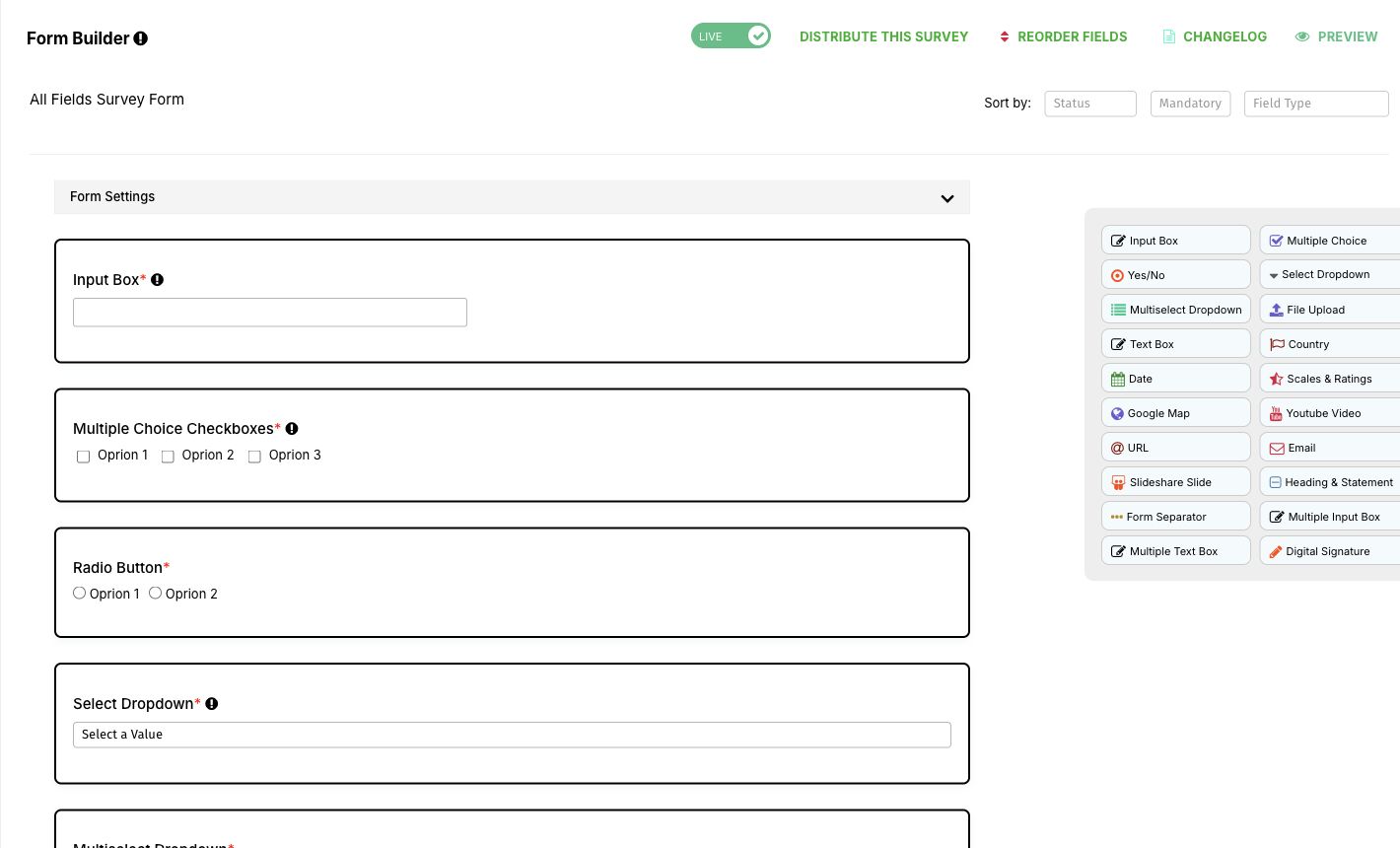
Create campaigns from a template or your own design
Start quickly with a preset layout or build a reusable branded email for your organisation.
- Send one campaign to several segments or mailing lists.
- Use contact and event placeholders for relevant personalisation.
Understand delivery and response
Review campaign performance without assembling a separate report.
- See sent, bounced, opened, clicked, spam and unsubscribe activity in visual reports.
- Export campaign-level reporting data when deeper analysis is needed.
Manage lists and subscription forms
Import subscribers, maintain mailing lists and give each list an embeddable subscription form.
- Synchronise subscribers and lists with Mailchimp or Constant Contact where configured.
- Remove a subscriber from a prospect campaign automatically after registration.
Reuse polished email templates
Keep the layout, logo, event header and recurring content consistent while the event team focuses on the message.
- Support simple templates and complex designer-built HTML templates.
- Save private-message templates for one-to-one contact follow-up.
Build precise audience segments
Combine profile fields, answers, accommodation choices, tickets and event roles to reach a relevant audience.
- Send a customised campaign to everyone in a saved segment or group.
- Use the same segment for reminders, invitations and operational notices.
More ways to support your event
Everything your team can manage in one place
Delivery integrations
- Synchronise lists with Mailchimp and Constant Contact.
- Use SendGrid with an approved sending domain and address.
Operational controls
- Enable or disable automated notifications centrally.
- Keep a per-contact history of private and campaign email.
- Export the recipients and send date for every automated notification.
Related guides and articles
Continue planning with practical resources



Frequently asked questions
Practical answers before you begin
Can campaigns use registration answers?
Yes. Form answers stored in the CRM can be combined with roles, tickets and event activity to define a segment.
Can we send from our own domain?
Dryfta can be configured with SendGrid and an approved organisational domain. DNS and deliverability preparation are confirmed during implementation.
Full feature list
What you can do with this product
Explore the complete feature list for this product and see how each tool supports your team’s work.
Email marketing and notifications
Send personalised campaigns and operational notifications using event and contact data.
- Personalised campaigns for lists, groups and advanced contact segments
- Reusable simple, branded and designer-created email templates
- Placeholders populated from CRM and event data
- Campaign reporting for delivery, opens, clicks, bounces, spam and unsubscribes
- Automated operational notifications with enable and disable controls
- Direct contact emails and complete email history
- Exportable notification delivery logs
- Mailchimp, SendGrid and Constant Contact connectivity
- SMS notification workflows through Twilio where configured
Event marketing and social media
Promote event content and campaigns across owned and social channels.
- Social sharing for event pages, programmes, abstracts and purchases
- Real-time social feeds and event hashtag displays
- Facebook, LinkedIn and X/Twitter sharing controls
- Share-with-a-friend workflows after registration or purchase
- Custom metadata, scripts and HTML for campaign tracking
- Targeted email and contact-segment promotion
Event registration
Build flexible registration pathways for attendees, authors, reviewers, speakers and invited guests.
- Multiple configurable forms for different user types and registration pathways
- Attendee, reviewer, review and abstract-submission forms
- Embeddable forms and language-localised registration experiences
- Instructional text, privacy notices, consent questions and reCAPTCHA
- Automatic merging of registration data into the event CRM
- Optional public attendee profiles
- Open, invitation-only and wait-list registration
- Pre-filled forms for known contacts and logged-in users
- Automated registration notifications and organiser updates
- Field-level visibility and add, edit and delete permissions
- Required-field validation and configurable file uploads including audio and video
- Ticket-specific fields, role-based ticket access and attendee autofill
See how this would work for your event
Book a practical demo with the local Dryfta KSA team.
Dryfta products
Choose the tools your event needs
Each product works with the same people, programme, payment and engagement records.
Event Registration and Ticketing Software
Create registration forms, sell tickets, send confirmations and see who has paid—all from one place.
View productAbstract Submission and Peer Review Software
Collect abstracts, assign reviewers, record decisions and keep authors updated without juggling spreadsheets.
View productProgramme Scheduling and Speaker Management
Build your agenda, assign rooms and speakers, spot clashes and publish schedule changes quickly.
View product