
Programme, sessions and speakers
Programme Scheduling and Speaker Management
Build your agenda, assign rooms and speakers, spot clashes and publish schedule changes quickly.
Programme and speaker operations
Build a programme people can understand, save and attend
Coordinate parallel tracks, presentations, speakers, rooms, workshops, virtual access and attendance from one programme record, with updates reflected on the event website and participant schedule.
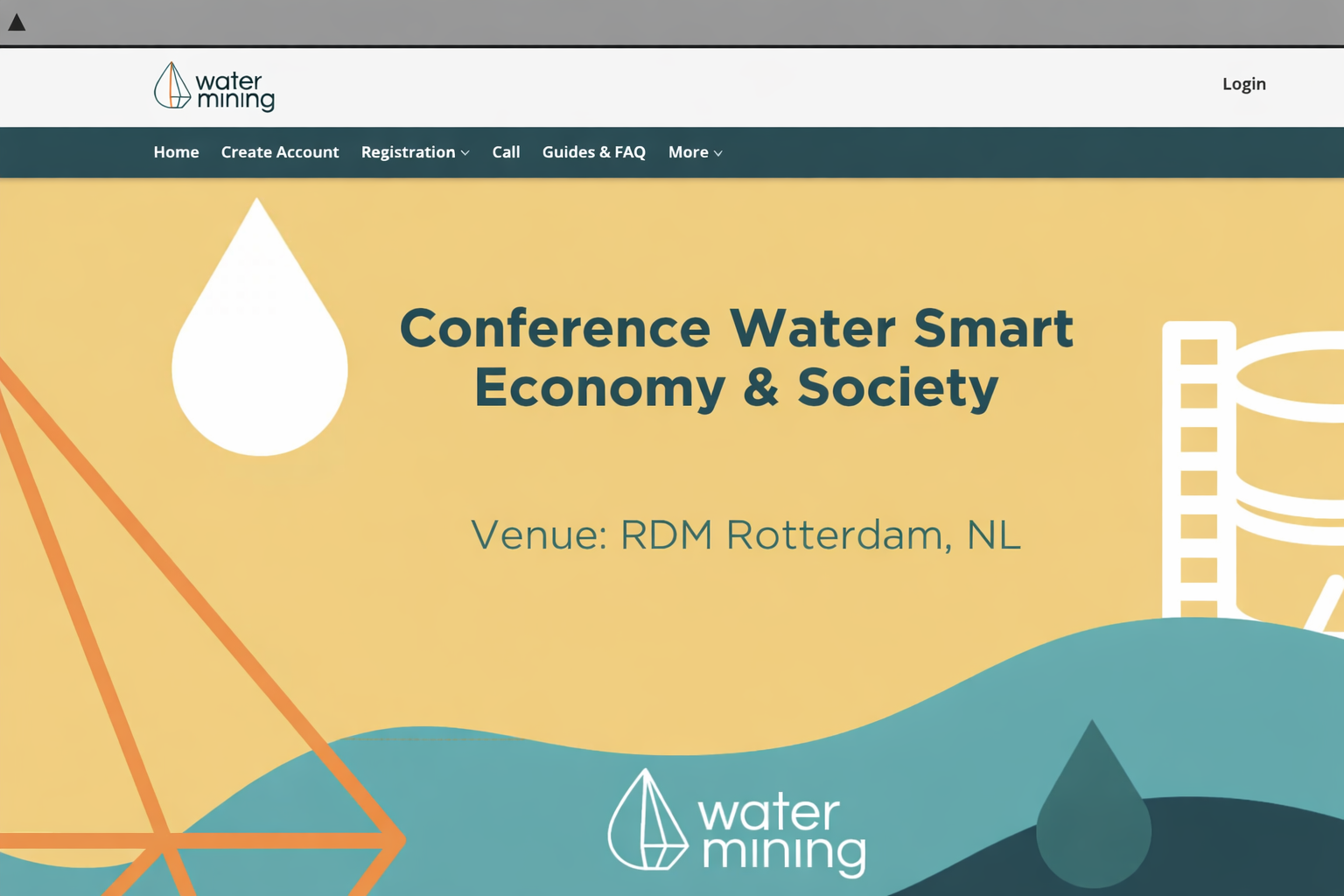
Organisations using the global Dryfta platform









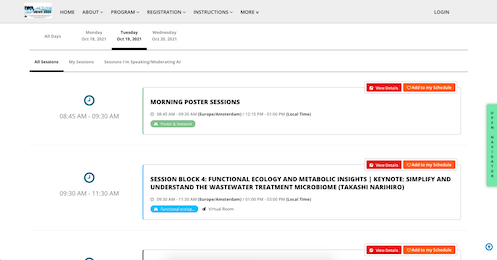
Publish a clear programme across parallel tracks
Display sessions on the event website with the filters and actions participants need.
- Sort by speaker, track, format or time.
- Let participants save sessions, check in and share programme items.
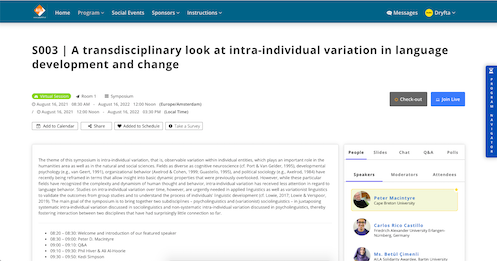
Bring speakers and presentation material into each session
Make the programme useful before and during the event by displaying the people and approved resources behind each session.
- Display speakers, moderators and attendees with profile links.
- Publish approved downloadable presentation files.
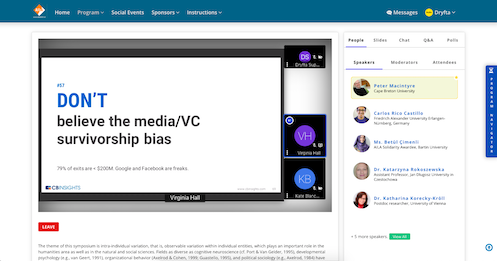
Connect virtual and hybrid session access
Attach meeting, streaming and waiting-room instructions to the scheduled session so online participants follow the same programme.
- Support live audio, video and screen-sharing through configured meeting services.
- Provide browser and device access with organiser-controlled entry.
- Service limits and availability commitments are confirmed for the selected deployment.
Define tracks, formats and locations
Create the programme taxonomy once and use it consistently in scheduling, filters and reports.
- Assign multiple tracks and formats where needed.
- Use colour tags to make track structure easier to scan.
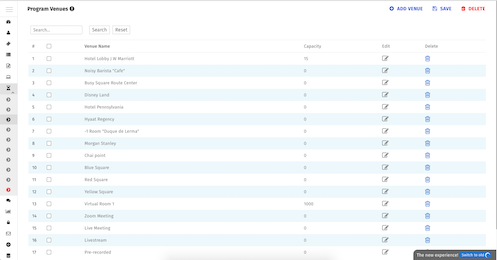
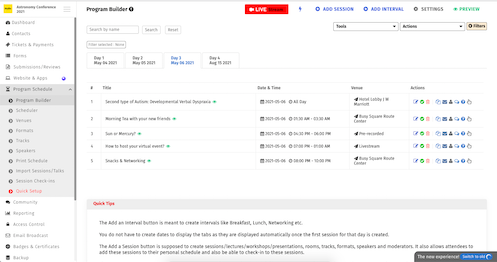
Create sessions, presentations and intervals
Model the full event day, including breaks and multi-paper sessions, while day tabs are created automatically.
- Group presentations under a session and order authors and speakers.
- Show the schedule in 12- or 24-hour time.
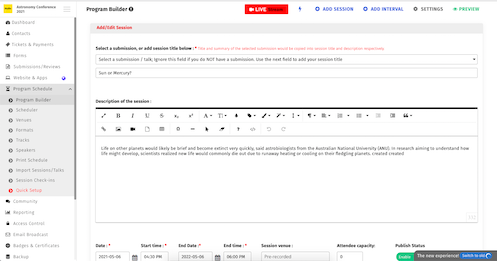
Edit sessions with conflict awareness
Change date, time, room, track and capacity while the platform highlights programme conflicts.
- Detect track, speaker and venue conflicts.
- Fetch approved presentation files from speaker profiles.
- Set room and session capacity.
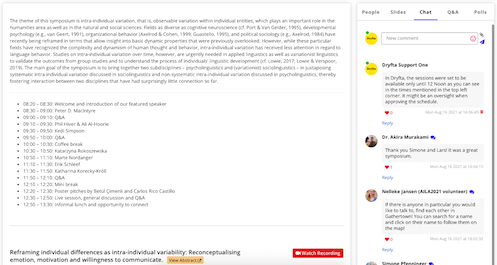
Add discussion, questions, polls and feedback
Give participants structured ways to contribute around a session without fragmenting engagement across unrelated tools.
- Use session discussion with photo and file uploads.
- Route questions to a selected speaker and notify them.
- Run live polls, moderate comments and collect session surveys.
Manage check-in, waiting lists and attendance evidence
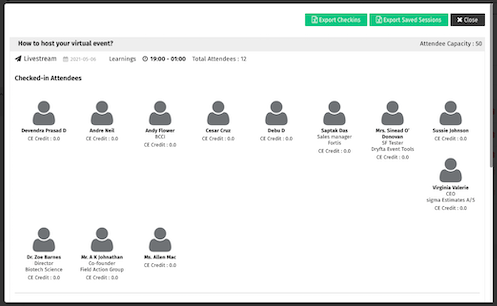
See who saved, waited for and attended each session, including recorded check-in and check-out times.
- Export attendance, saved-session and wait-list records.
- Use QR or authorised check-in and prevent repeated self-check-in.
- Calculate time spent and support continuing-education credit rules.
Import established programme data
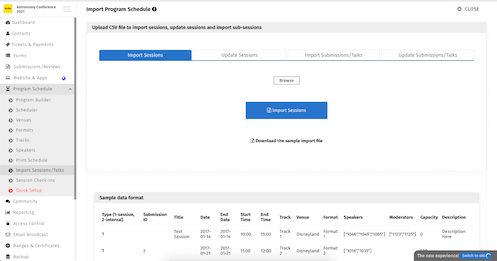
Move sessions, presentations and speakers from spreadsheets into the programme builder, then resolve conflicts in Dryfta.
- Import sessions, sub-sessions and speakers by CSV.
- Embed the resulting programme in an approved external website.
Sell access to workshops, webinars and on-demand content
Tie paid programme items to ticket eligibility so access and attendance stay auditable.
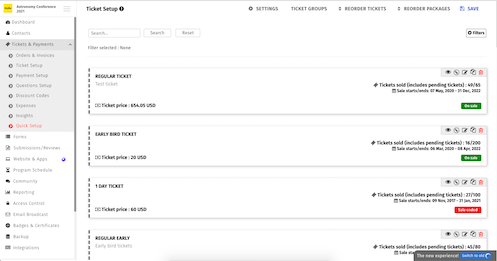
- Associate one ticket with one or more sessions.
- Sell access to recorded presentations and configured webinars.
- Allow only eligible purchasers to enter or check in.
More ways to support your event
Everything your team can manage in one place
Participant schedule
- Add sessions to iCal, Google Calendar and Outlook; print the full or personal schedule.
- Offer simple and expanded views, social sharing, recommendations and a mobile personal schedule.
- Show total and per-session continuing-education credits.
Speaker and file controls
- Let speakers upload files and notes, then choose which files and participant roles can download them.
- Reorder speakers, moderators and authors and connect accepted abstracts automatically.
- Support pre-recorded video and webinar links.
Operational reporting
- Export check-in, check-out and duration by session and generate custom session reports.
- Send email and push updates, approve questions and limit sessions to invited participant roles.
Customer success story
Jhpiego Corporation: connected programme delivery
See how Jhpiego used connected scheduling, scientific-content and participant workflows to deliver its event programme.
Read the case studies
What customers value
Why teams choose Dryfta
See what academic and professional teams find most useful about the platform.

Peter Raeves
European Tissue Repair Society
Peter highlights the platform’s stability and the breadth of tools available for running a complete event.

Tamye Riggs
Association Typographique Internationale
Tamye values the platform’s depth and the time and cost benefits available once a team learns the workflow.

Ian Giles
The University of Edinburgh
Ian describes Dryfta as a good fit for academic and commercial conferences that need one connected process.

Alan Whiteside
NHS Highland
Alan focuses on the professional participant experience and the positive engagement it supported.
Related guides and articles
Continue planning with practical resources




Frequently asked questions
Practical answers before you begin
Can accepted abstracts populate the programme?
Yes. Approved abstracts, presenters and files can move into sessions without rebuilding the submission details.
Can Dryfta detect schedule conflicts?
Yes. The programme workflow checks relevant track, room and participant conflicts and gives administrators the information needed to resolve them.
Full feature list
What you can do with this product
Explore the complete feature list for this product and see how each tool supports your team’s work.
Programme scheduling and speaker management
Build multi-track programmes, manage conflicts and deliver personalised schedules.
- Interactive programme builder for in-person, virtual and hybrid sessions
- Tracks, formats, rooms, venues, time slots and colour coding
- Conflict detection for sessions, speakers, rooms and programme resources
- Automatic conversion of accepted submissions into sessions
- Spreadsheet import for sessions, sub-sessions, speakers and presenters
- Speaker dashboards, notes, presentation uploads and deadline tasks
- Personal schedules, recommendations, favourites and printable agendas
- Calendar export to iCal, Google Calendar and Outlook
- Session capacity, waiting lists, invitation-only access and ticket eligibility
- QR and list-based session check-in and checkout
- Continuing Education credit assignment and attendance verification
- Presentation downloads with user-role access controls
- Session discussions, moderated questions, surveys and feedback
- Programme embedding, custom reports and attendance exports
See how this would work for your event
Book a practical demo with the local Dryfta KSA team.
Dryfta products
Choose the tools your event needs
Each product works with the same people, programme, payment and engagement records.
Event Registration and Ticketing Software
Create registration forms, sell tickets, send confirmations and see who has paid—all from one place.
View productAbstract Submission and Peer Review Software
Collect abstracts, assign reviewers, record decisions and keep authors updated without juggling spreadsheets.
View productMembership Management Software
Manage plans, member records, benefits, protected content, event discounts, private sessions and renewal status in the same platform used for your events.
View product