
Calls for papers and scientific review
Abstract Submission and Peer Review Software
Collect abstracts, assign reviewers, record decisions and keep authors updated without juggling spreadsheets.
Submissions, review and proceedings
A governed path from call for papers to published programme
Run complex calls for papers in English and Arabic, give authors and reviewers focused dashboards, and keep every assignment, score, decision, revision and final file connected to the programme record.
Organisations using the global Dryfta platform





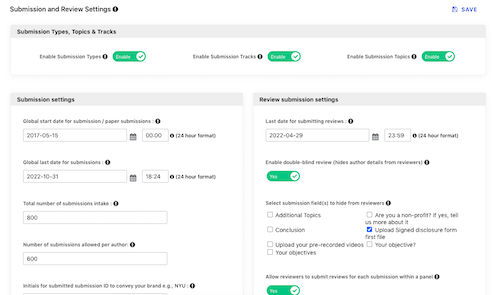
Configure the full submission programme
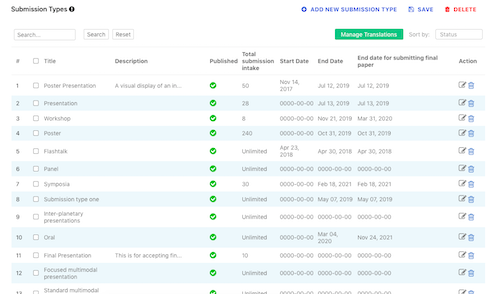
Set up each submission type as its own governed intake rather than forcing every author through the same form.
- Set independent deadlines, intake limits and co-author limits.
- Support individual abstracts, panels and other submission types with their own fields.
- Collect several PDF, media or supporting files and choose manual or automated assignment.
- Use single-, double- or triple-blind review where the process requires it.
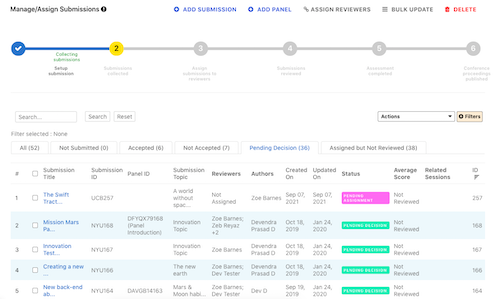
Manage and decide on submitted work
Give the programme team a current view of submissions, ratings and status.
- Accept or reject a submission and notify authors and co-authors.
- Filter and sort by custom data, rating and decision status.
- Export the working set to CSV or PDF.
Assign reviewers manually or automatically
Match work to qualified reviewers while controlling workload and completion dates.
- Assign randomly, by topic match or with a bulk manual assignment tool.
- Limit reviews per reviewer and reviewers per submission.
- Set review deadlines, allow reviewer discussion and monitor submission and review reporting.
Keep submission and review forms straightforward
Give each role only the fields and actions needed at the current stage.
- Allow accepted authors to resubmit and optionally let co-authors edit.
- Control co-author notifications and review anonymity.
- Let administrators review submitted data from the backend.
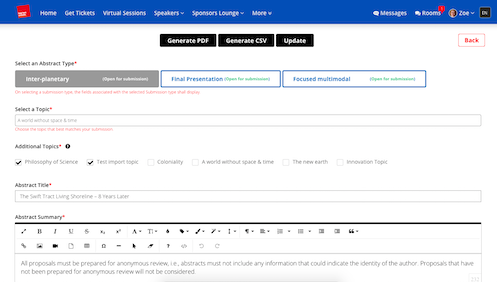
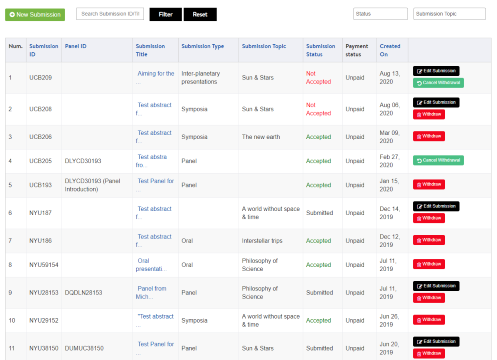
Give authors one self-service dashboard
Let authors manage the scientific and registration tasks connected to their participation.
- Submit and manage abstracts, update profiles and buy required tickets.
- Choose multiple presenters and upload final papers, presentations or recorded video.
- Display approved work on the public profile and use configurable communication templates.
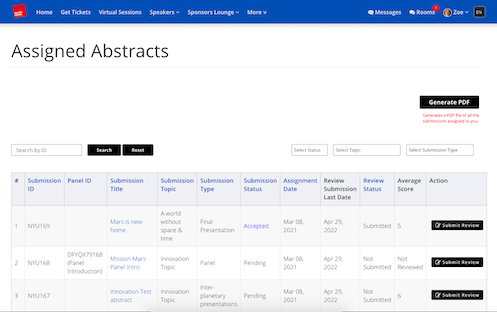
Give reviewers a focused review dashboard
Present assignments, criteria and discussion in one place so reviewers can work consistently.
- Save and resubmit reviews, attach supporting files and use multiple rating scales.
- Support rebuttal, reviewer discussion and bulk status decisions.
- Notify authors as decisions move forward.
Publish a conference abstract book
Turn accepted records into proceedings without reconstructing the content in a separate publishing workflow.
- Choose front and back covers, watermarks and introductory messages.
- Select accepted, rejected or both sets and decide which author, abstract and review fields appear.
- Produce PDF and CSV outputs.

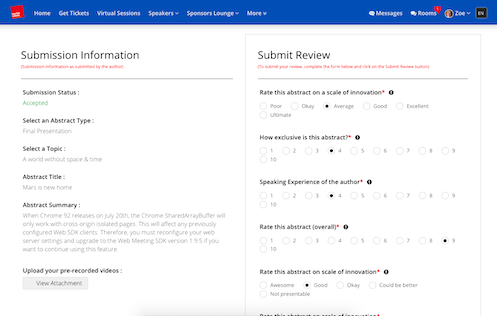
Grade work against clear criteria
Use structured evaluation questions to support consistent, explainable decisions.
- Create custom criteria, rating scales and evaluation fields.
- Calculate the average review score when an assessment is submitted.
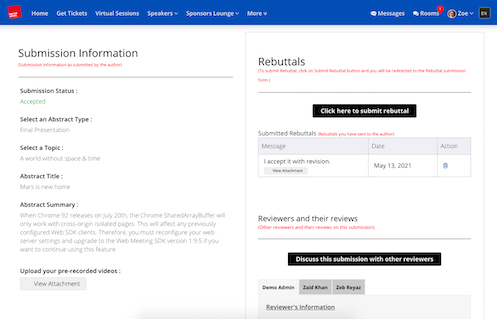
Moderate author rebuttals
Let authors respond to feedback without exposing confidential reviewer information.
- Notify authors of reviewer feedback automatically.
- Route replies to a committee member for approval before sending them to the reviewer.
- Keep every feedback message and reply in the abstract record.
Collect submission or acceptance fees
Connect payment requirements to author eligibility and submission status.
- Require a ticket before submission or payment after acceptance.
- For Saudi deployments, configure Moyasar, Tap or approved offline methods.
- Filter paid and unpaid submissions.
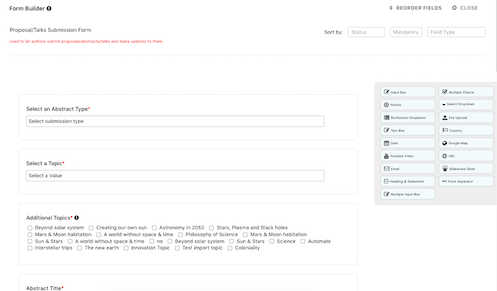
Build forms for every submission and review stage
Use the form builder to capture exactly the evidence each scientific workflow requires.
- Choose text, checkbox, file, yes/no, multi-select and other field types.
- Add conditional fields and separate access rules for guests and signed-in users.
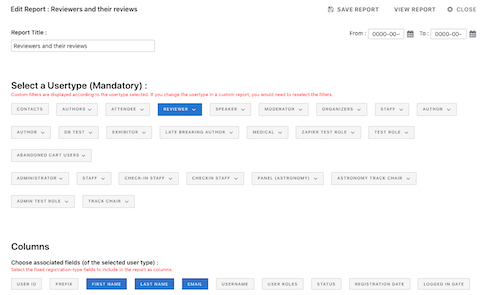
Import, export and share controlled reports
Move established records into Dryfta and provide current information to authorised collaborators.
- Import or update abstracts by CSV and export filtered records to CSV.
- Download abstracts and reviews as PDF.
- Create a custom report and share it through a secure URL.
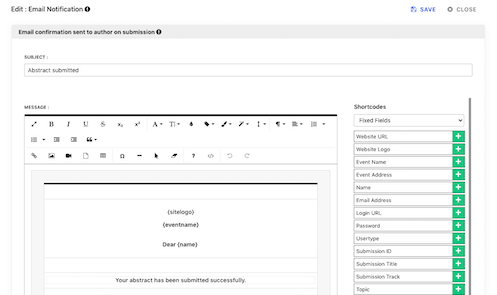
Automate timely author and reviewer email
Keep routine scientific communication consistent while retaining editable templates.
- Notify authors about registration, submission, decisions and payment documents.
- Send bulk updates to authors, submitters and reviewers.
- Customise operational and invoice notifications.
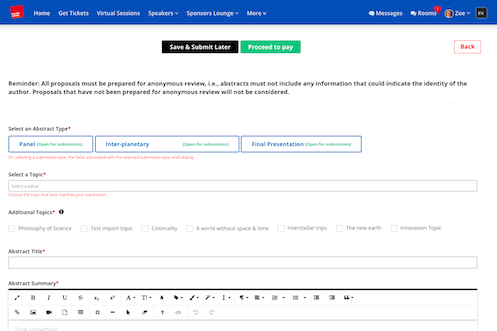
Support panel and symposium submissions
Keep a grouped proposal together while still collecting the contribution of each speaker.
- Let a director submit the panel introduction before speakers add individual abstracts.
- Review the panel as one unit or evaluate contributions separately.
- Allow administrators to add a missing contribution from the backend.
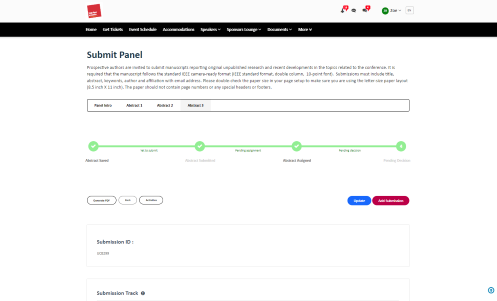
Run multi-tier submissions
Collect an initial abstract, complete review and invite only selected authors to provide a final paper or presentation.
- Separate initial and final deliverables with clear eligibility.
- Notify top-scoring accepted authors when the next tier opens.
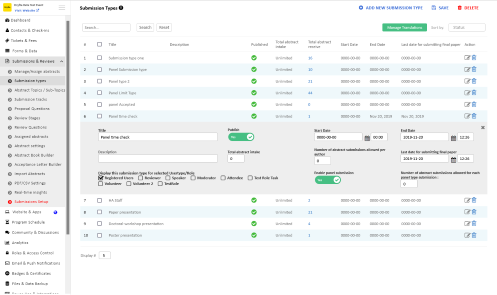
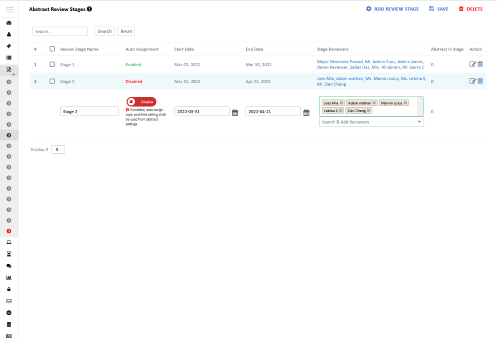
Run multi-stage review
Separate screening, specialist review and final decision into controlled stages.
- Give each stage its own deadline, questions and reviewer group.
- Compare stage scores and move qualified work to the next review round.
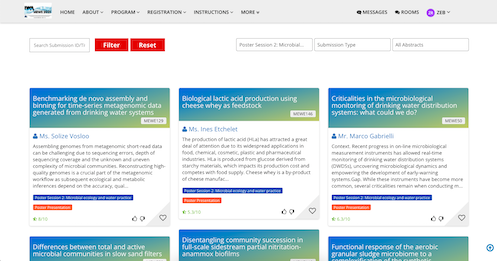
Publish a searchable abstract and ePoster archive
Extend approved research beyond the programme with an organised discovery experience.
- Search by title, type, topic, author and keyword.
- Support poster voting, favourites, presenter chat and linked profiles and sessions.
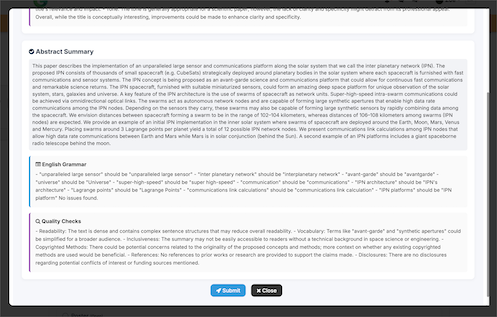
Apply AI-supported quality and grammar checks
Offer authors immediate, actionable feedback on selected submission fields before the review queue grows.
- Check grammar, style and configured quality conditions.
- Choose which fields receive quality, grammar or plagiarism checks.
Check selected content for plagiarism
Use an automated similarity check as an additional screening signal, with academic decisions remaining under human governance.
- Scan selected sections such as title, objectives, methods and conclusions.
- Reduce manual screening while keeping findings available to the authorised team.
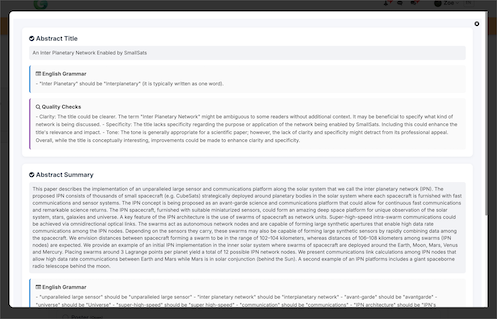
Use virtual reviewers as a configurable aid
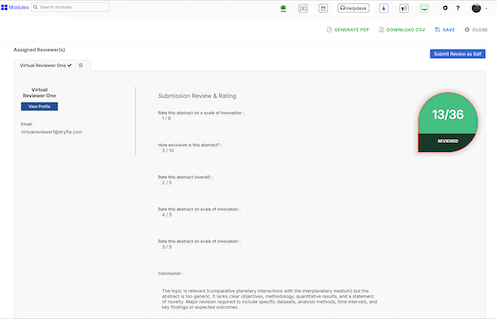
Apply configured criteria at scale and compare automated assessments with human review rather than hiding the distinction.
- Assign up to three virtual reviewers using the existing review form and scoring criteria.
- Match by topic, track, submission type or custom fields.
- Compare AI and human scores in the same review workspace.
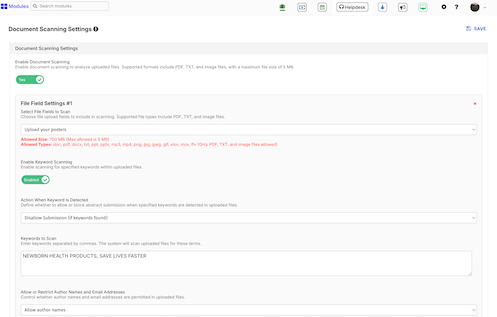
Scan uploaded documents against submission rules
Apply file and content checks consistently across frontend and administrator uploads.
- Scan PDF, Word, PowerPoint, text and image files.
- Allow or block based on configured keywords and compare author names or email addresses with the author list.
- Extract searchable text and configure rules for each upload field.
More ways to support your event
Everything your team can manage in one place
Author and submission controls
- Auto-save form fields, set separate deadlines and intake limits, and cap submissions per author and type.
- Restrict eligible submitter roles, prevent edits during review and permit requested revisions after a deadline.
- Upload PDF, PPT, DOCX, audio, video, images and archives where configured.
Review and decision evidence
- Generate PDFs of assignments and submitted reviews and sort by reviewer, author, topic, status and score.
- Save a review for later, attach reviewer files and notify reviewers when an author updates a submission.
- Create acceptance letters and participation certificates from approved records.
Publishing and programme transfer
- Publish all or accepted abstracts with configurable fields, ratings, authors and associated sessions.
- Move accepted abstracts and presenters into programme sessions automatically.
- Choose whether presentation downloads and public voting appear in the archive.
Customer success story
Jhpiego Corporation: managing a complete scientific programme
See how Jhpiego brought submissions, peer review, registration and programme planning together in one connected event workflow.
Read the case studies
What customers value
Why teams choose Dryfta
See what academic and professional teams find most useful about the platform.

Peter Raeves
European Tissue Repair Society
Peter highlights the platform’s stability and the breadth of tools available for running a complete event.

Tamye Riggs
Association Typographique Internationale
Tamye values the platform’s depth and the time and cost benefits available once a team learns the workflow.

Ian Giles
The University of Edinburgh
Ian describes Dryfta as a good fit for academic and commercial conferences that need one connected process.

Alan Whiteside
NHS Highland
Alan focuses on the professional participant experience and the positive engagement it supported.
Related guides and articles
Continue planning with practical resources



Frequently asked questions
Practical answers before you begin
Can review be single-, double- or triple-blind?
Yes. The review model, visible fields and reviewer access are configured around the conference’s governance requirements.
Can accepted abstracts become programme sessions?
Yes. Accepted abstracts and presenters can populate programme sessions without rebuilding the scientific record.
Does AI replace the scientific committee?
No. Automated checks and virtual-review options are configurable aids. The organising institution remains responsible for criteria, review governance and final decisions.
Full feature list
What you can do with this product
Explore the complete feature list for this product and see how each tool supports your team’s work.
Abstract and submission management
Manage calls for papers, complex submissions and the full author workflow.
- Multiple submission types, workflows, forms and independent deadlines
- Abstract, session, panel, roundtable, proposal and grant intake
- Author self-service dashboard with autosave and submit-later controls
- Co-authors, multiple presenters, author ordering and custom fields
- Configurable instructions, limits and eligibility by user type
- PDF, document, presentation, image, audio, video and archive uploads
- Revision and resubmission workflows, including post-deadline reviewer requests
- Author-reviewer rebuttal communication moderated by administrators
- Submission fees, acceptance payments and payment-gated submission
- Acceptance-letter builder with personalised PDF delivery
- Automated author, reviewer, speaker and administrator notifications
- Filtering, sorting, importing and exporting submissions and reviews
- Public abstract archive, voting and presentation downloads with access controls
- Automatic conversion of accepted submissions into programme sessions
- Custom abstract-book and proceedings publishing
Assignment and peer review
Assign submissions, collect structured scores and manage rigorous review models.
- Manual and topic-based automatic reviewer assignment
- Multiple reviewers per submission and configurable assignment limits
- Scoring fields, uploads, multiple choice, yes/no and comments
- Single-, double- and triple-blind review models
- Open review and reviewer discussion tools
- Conflict controls based on author and reviewer organisations
- Reviewer decline, save-draft and submit-later workflows
- Automated assignment and update notifications
- Administrator review dashboards, private messages and complete reviewer history
- Spreadsheet exports with scores, averages and standard deviation
See how this would work for your event
Book a practical demo with the local Dryfta KSA team.
Dryfta products
Choose the tools your event needs
Each product works with the same people, programme, payment and engagement records.
Event Registration and Ticketing Software
Create registration forms, sell tickets, send confirmations and see who has paid—all from one place.
View productProgramme Scheduling and Speaker Management
Build your agenda, assign rooms and speakers, spot clashes and publish schedule changes quickly.
View productMembership Management Software
Manage plans, member records, benefits, protected content, event discounts, private sessions and renewal status in the same platform used for your events.
View product